
Workflow Software for Accounting Firms: Prebuilt Templates, Full Flexibility
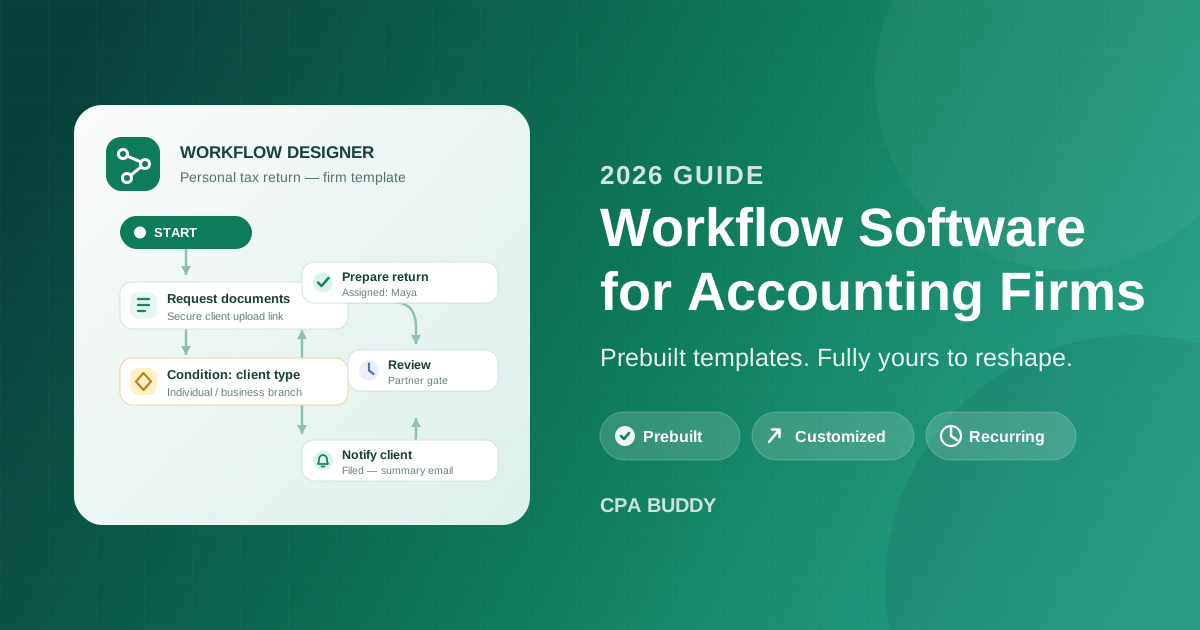
Ask a six-person bookkeeping firm how the monthly close works and you will get six slightly different answers. Ask what happens when the person who “just knows” the sequence for a corporate return takes two weeks off in March, and you will get a nervous laugh. That is the real case for workflow software for accounting firms: not fancier to-do lists, but moving the firm’s process out of people’s heads and into a system anyone can run. This guide covers why that matters most at small and medium firms — bookkeeping practices and CPA firms alike — and why the right answer is prebuilt workflows you can reshape freely, not a rigid template or a blank canvas.
- Small and medium firms are the most exposed to process-in-people's-heads risk, because there is no slack to absorb a missed step.
- Real workflow functionality is more than a task list: sequenced steps, named owners, conditions, document requests, and live progress.
- Prebuilt workflows get you running in days — onboarding, document collection, tax prep, and monthly bookkeeping out of the box.
- Full flexibility matters just as much: customize any template, build from scratch, and edit one client's workflow without touching the rest.
Why Small and Medium Firms Can’t Run on Memory
Large firms have redundancy. If a manager leaves, three other people know the process, and a methodology binder somewhere describes it anyway. A ten-person firm has none of that slack. The process for a T1 season, a 1040 season, or a fifty-client monthly close typically lives in one or two heads — and it works right up until it doesn’t.
The failure modes are predictable:
Tribal knowledge walks out the door
When the senior bookkeeper who knows every client's quirks resigns, the firm loses the process along with the person. Rebuilding it takes months of rediscovered mistakes.
Every client gets a different experience
Without a defined sequence, onboarding depends on who handled it. One client gets a welcome call and a checklist; another waits three weeks for someone to set up bank feeds.
New hires take months to become useful
With no documented process, training means shadowing. A new staff member can't pick up a return or a close independently because the steps exist nowhere they can read.
Managers can't see what's stuck
Status lives in email threads and hallway conversations. The only way to know whether a return is blocked is to ask — and during busy season, nobody has time to ask.
None of these are people problems. They are the natural result of running repeatable work — and most accounting work is highly repeatable — without a system that makes the process explicit. That is exactly the gap workflow functionality fills.
What Workflow Functionality Actually Means
“Workflow” gets used loosely, so it is worth being precise. A shared task list is not a workflow. A workflow is a defined process: this step, then that step, owned by this person, with this trigger and this evidence — and the system, not a human dispatcher, moves the work forward.
In practice, real accounting workflow management software gives you building blocks like these:
- Sequenced steps with owners. Each step is assigned to a person or role, and the next step activates when the previous one completes. Nobody has to remember to hand off.
- Conditional branching. One template handles individuals, businesses, and trusts by branching on client type — instead of maintaining three near-identical copies.
- Document request steps. The workflow itself asks the client for records through a secure upload link, tracks what arrives, and holds the next step until the package is complete. No email chase.
- Waits, approvals, and review gates. Prepared work routes to a reviewer before it can move to filing, and time-based waits handle “follow up in seven days” automatically.
- Notifications and webhooks. Staff get told when work reaches their desk, and external systems can be triggered directly from a workflow step.
- Real-time progress tracking. Every running workflow shows exactly which step it is on, so a manager can scan for bottlenecks instead of interviewing the team.
CPA Buddy’s workflow automation implements all of this with eleven node types — start, create engagement, assign engagement, condition, task, approval, wait, document request, email, webhook, and notification — assembled on a visual drag-and-drop canvas. There is no code and nothing to script. If you can draw your process as a flowchart on a whiteboard, you can build it.
Bookkeeping Firms and CPA Firms Need Different Things — and Both Get Them
Small and medium firms are not one audience. A bookkeeping practice and a CPA firm put weight on different parts of the workflow engine, and a good system has to serve both.
For bookkeeping firms, the problem is cadence. The monthly close repeats relentlessly across dozens of clients: reconciliations, categorization, accruals, sales tax review, statements, client summary. A missed month snowballs into a painful year-end. A workflow enforces the rhythm — the close lands on the right desk on the same day every month, and task management carries the individual steps, whoever is on vacation.
For CPA firms, the problem is handoffs and review. Tax and assurance work is seasonal, judgment-heavy, and moves between preparer, reviewer, and partner. The risk is not forgetting the work; it is work sitting silently in an unmonitored handoff. Approval gates and review steps make each handoff explicit, and the full lifecycle ties into engagement management so progress and assignment stay visible in one place.
Most firms in this size range are actually both — a compliance practice with a bookkeeping book underneath it. That is why it matters that the same workflow engine handles a recurring monthly close and a review-gated corporate return without forcing either into the other’s shape.
Start With Prebuilt Accounting Workflow Templates
The biggest reason firms put off workflow software is the fear of a blank canvas: nobody has a spare week to map processes from scratch. Prebuilt templates remove that barrier. CPA Buddy ships ready-made workflows for the processes nearly every firm runs:
Client onboarding
From signed engagement letter to fully set up: ID verification, prior-year returns, software access, kickoff email, and the internal task to assign a relationship manager. Builds on client management so every new client starts the same way.
Document collection
Request a defined document package, track what arrives, remind automatically on what doesn't, and hand off to the preparer only when the package is complete.
Personal tax return (1040 / T1)
Kickoff email, document request, preparation task, internal review, client approval, filing, and the post-filing summary — the full seasonal lifecycle for your highest-volume work.
Monthly bookkeeping and close
The repeating close checklist with the recurrence handled for you: reconciliations, entries, statements, review, and the client-facing summary, every month, on schedule.
Sales tax filings (HST/GST or state sales tax)
Each period: pull the data, calculate the remittance, file, and notify the client — on the monthly or quarterly cadence the jurisdiction demands.
These templates exist for both Canadian and US practices, so a firm filing T1s with the CRA and a firm filing 1040s with the IRS both start from a process that already fits their jurisdiction. Customizing a template typically takes under an hour; most firms have their first three workflows live within a week. If you want a ranked view of which to deploy first, see the seven accounting workflows to automate first, and for the document-collection pattern in depth, how to collect tax documents without the email chase.
The fastest way to evaluate workflow software is to run a real process through it. On a CPA Buddy trial, you can assign the prebuilt onboarding workflow to your next new client the same day you sign up — 30 days free, no credit card required.
Then Bend Every Workflow to Your Firm
Prebuilt templates are a starting point, not a cage. Every firm has quirks — the partner who reviews every corporate return personally, the client who needs paper copies, the extra quality-control step you added after a bad season. A workflow system that cannot absorb those quirks gets abandoned by June.
CPA Buddy handles customization through a three-tier template hierarchy:
Global templates
Platform-provided starting points, maintained for both Canada and the United States. You never edit these directly — you copy them.
Firm templates
Your copies, yours to reshape completely. Rename steps, add your review gate, change role assignments, insert conditions, or restructure the flow entirely. Each firm template is independent after copying.
Client instances
Assigning a template to a client creates that client's own running workflow, with their name, contacts, and engagement details filled in. Every instance is independent.
That last tier is the detail that matters most in practice. Because each client’s workflow is an independent instance, you can edit one client’s process mid-engagement — add a step, reassign an owner, skip something that doesn’t apply — without touching the other ninety-nine clients running the same template. And when you improve the firm template, running work is never broken retroactively; the improvement applies to future assignments.
If none of the templates fit, you build from scratch on the same drag-and-drop canvas. Variables like client name and firm name are filled in at assignment time, so you write a customized email or task description once — not once per client. Document steps connect to document management, and every workflow attaches to clean records in client management, so the process and the data live in one system.
How Prebuilt and Flexible Work Together
The prebuilt-versus-custom question is a false choice. The pattern that works, at almost every firm we see, is a loop:
- Adopt a prebuilt template for one process — onboarding is the easiest first win.
- Customize it to your firm: your language, your review steps, your assignments.
- Assign it to real clients and run a full cycle.
- Refine the firm template with what you learned, and let recurrence create the next instances automatically.
Each pass through the loop takes less effort than the last, because you are editing a working process instead of designing on a blank page. Six months in, the firm’s operational knowledge lives in templates anyone can read — and the person who “just knows” how things work can finally take that vacation.
Workflow software is how a small or medium firm turns its partners’ judgment into a repeatable system — without locking the firm into someone else’s idea of how accounting work should run. Start with a prebuilt workflow, reshape it until it matches how your firm actually operates, and let the system carry the cadence, the handoffs, and the reminders from there. See it on your own clients: start a 30-day free trial — no credit card required — or book a demo and we will walk through your firm’s processes together.
Frequently Asked Questions
Why do small accounting firms need workflow software?
Because small firms run on tribal knowledge. When the process for a tax return or a monthly close lives in one person's head, every vacation, sick day, and resignation puts client work at risk. Workflow software turns that invisible process into a visible, repeatable system with named owners, sequenced steps, and real-time status — so the work does not depend on who happens to remember it.
Should I use prebuilt workflow templates or build my own?
Start with prebuilt templates and customize them. Prebuilt workflows for client onboarding, document collection, tax preparation, and monthly bookkeeping let you go live in days instead of weeks. Then adjust the steps, assignments, and timing to match how your firm actually works. You get the speed of templates without being locked into someone else's process.
Do bookkeeping firms need workflow software, or is it just for CPA firms?
Bookkeeping firms arguably need it more. Bookkeeping is recurring work on a relentless monthly cadence — reconciliations, categorization, sales tax review, financial statements — for dozens of clients at once. A workflow system enforces that cadence automatically, so the close lands on the right person's desk on the same day every month, regardless of who is out of office.
Can I modify a prebuilt workflow without breaking work already in progress?
Yes. In CPA Buddy, templates and running workflows are separate. You copy a global template into a firm template and customize it freely, and each client gets their own independent instance when you assign it. You can edit one client's running workflow mid-engagement — or update the firm template for future assignments — without touching the other clients already in flight.
Related Articles
Ready to streamline your practice?
Join accounting firms across North America using CPA Buddy to transform their practice management.