Client info in a spreadsheet, files on a shared drive, conversations buried in email, deadlines in your head — nothing talks to anything else.
Most growing firms are not running on rival software — they are running on a patchwork of spreadsheets, email, shared drives, and memory. CPA Buddy turns that patchwork into one HQ where your clients, documents, tasks, time, and email finally live together, while your tax and bookkeeping software stays right where it is.
Every disconnected tool is another login, another place data drifts out of sync, and another few minutes lost each time someone switches context. Across a week of client work, that scatter is hours you never bill — and the mistakes that creep in when the same client lives in five different places.
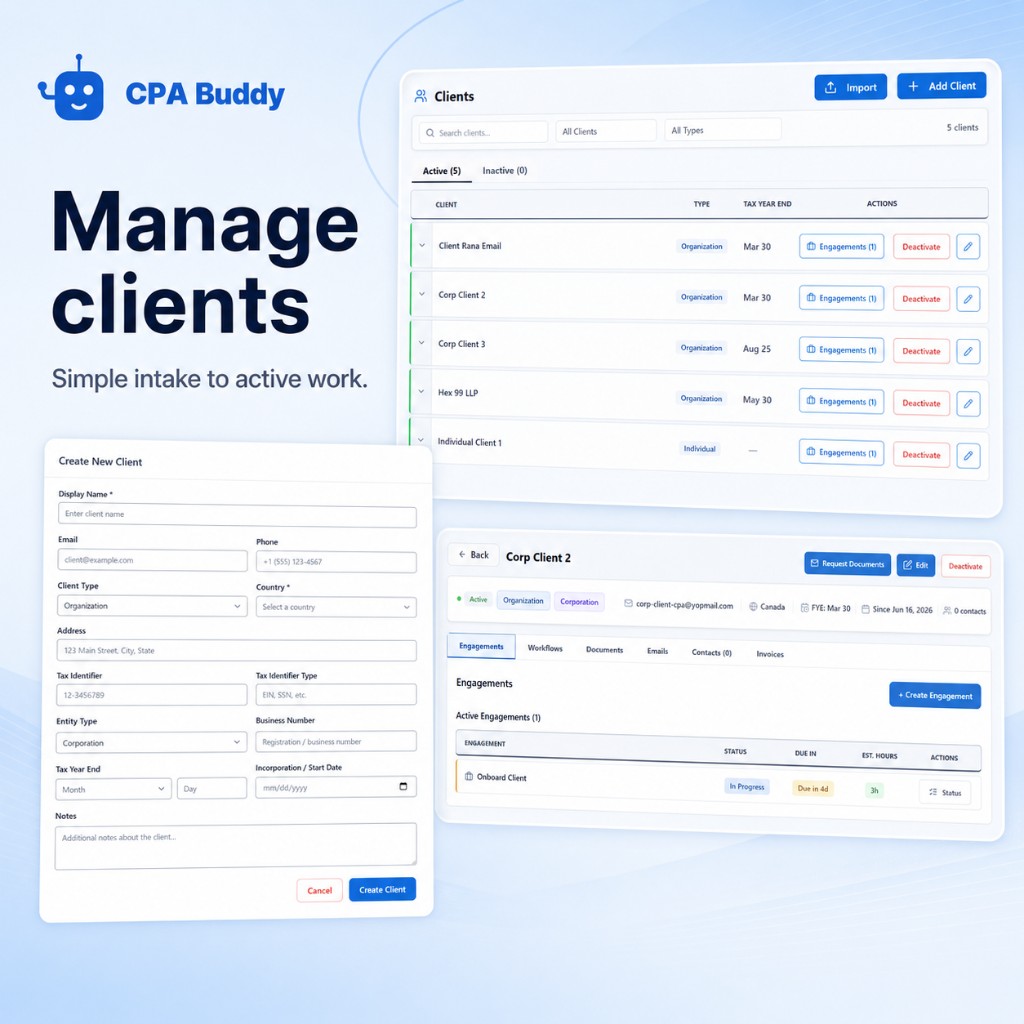
Contacts, engagements, documents, emails, tasks, and time all hang off a single client record. Open a client and see everything — not six browser tabs.
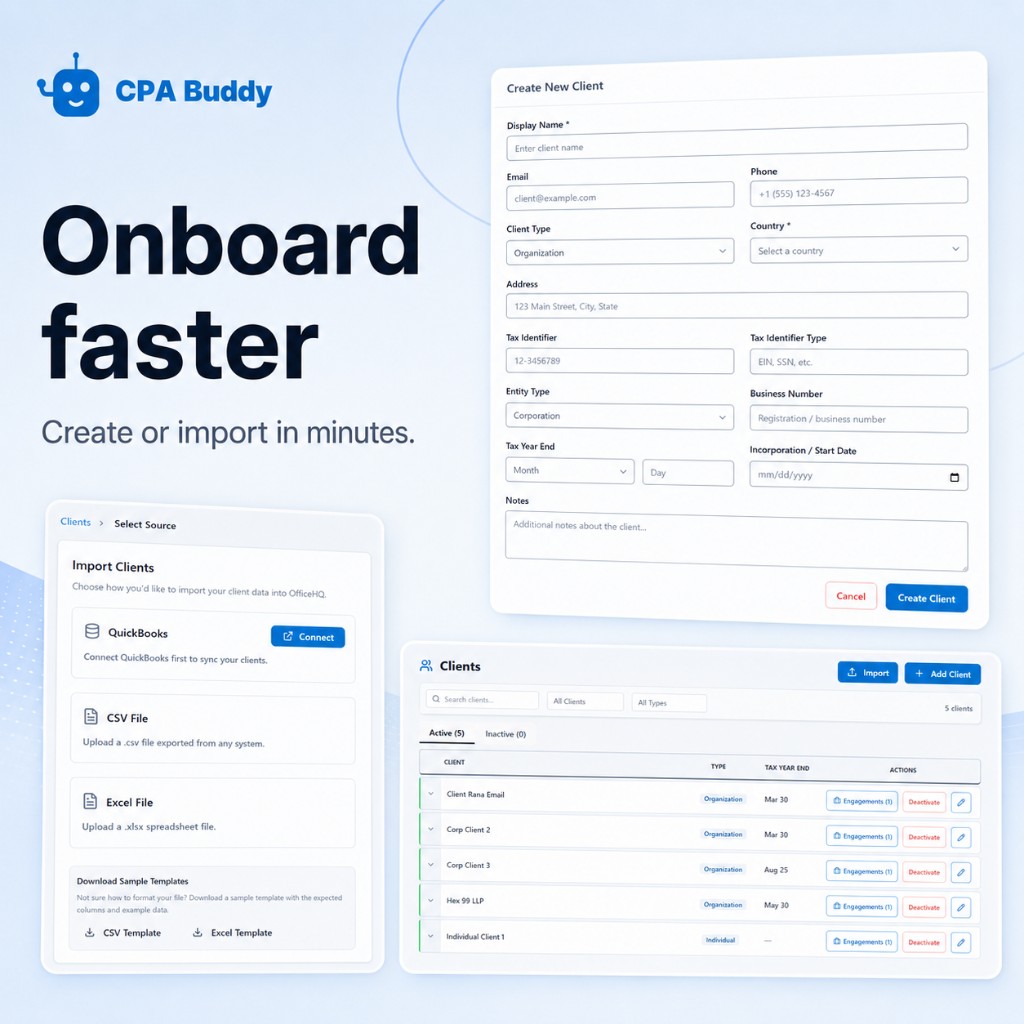
Import clients from QuickBooks, CSV, or Excel. Map your columns, skip duplicates, and you are set up in an afternoon — no migration project.
Email, documents, deadlines, and billing are the same jobs you do today — just connected, so finishing one step updates the rest automatically.
Client records, document requests, the firm inbox, engagement letters, and billing come in one subscription, so there is less to pay for and less for staff to learn.
Staff stop hopping between apps and re-typing the same data. The information they need is one click away on the client record.
Because the tools are connected, a document request, a task, and a deadline are part of the same flow — not three things to remember separately.
When everything lives in one system, work does not stall because the answer was in one person’s inbox or head.
Explore the capabilities that make this solution work.
No. CPA Buddy is built for solo and growing firms with no IT person. You can set it up yourself in a week — import your clients, invite your team, and start working. There is no consultant or implementation project required.
No. Most firms start with their client list and one workflow (like document collection or tax season), then bring the rest over as they go. You can run CPA Buddy alongside your current tools while you transition.
Your tax preparation, filing, and bookkeeping software stays. What moves into CPA Buddy is the manual patchwork around it — the spreadsheets, the shared drive, the scattered email. QuickBooks Online client sync is live today, CSV and Excel import works with any system, and connections to Xero, Zoho Books, Google Drive, OneDrive, Gmail, and Outlook are coming.
Most firms are up and running the same week. Importing clients takes minutes, and the interface is designed so your team learns it without training sessions.
Stop running your firm on spreadsheets, email, and memory. Start your 30-day free trial and set up your firm’s HQ this week — no credit card, no consultant.
30-day free trial. No credit card. No IT or consultant required.