
How Accounting Firms Can Track Tax Deadlines Without Spreadsheets
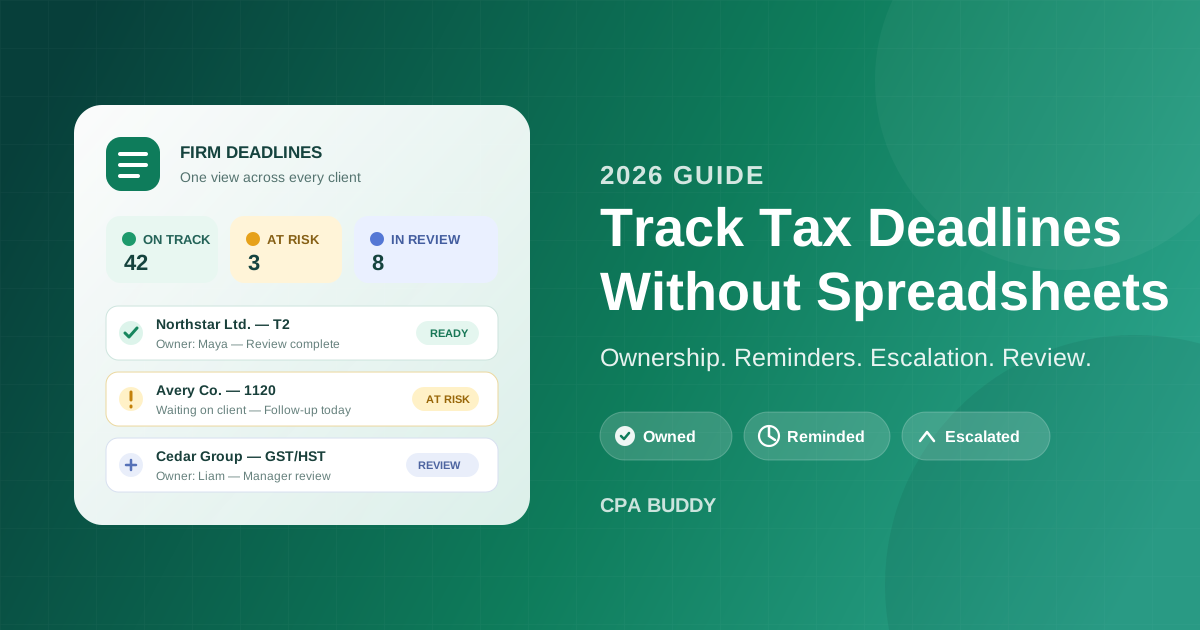
Here is how a deadline actually gets missed. Nobody forgets the date — it is right there in the spreadsheet, row 47, highlighted yellow. What nobody sees is that the client never sent the last two bank statements, the preparer assumed the manager was chasing them, the manager assumed the preparer was, and the yellow cell stayed quietly yellow until the filing date passed. The date was tracked. The work was invisible. That is the real problem with spreadsheet deadline tracking, and it is what this guide fixes: turning a list of dates into a deadline system with ownership, reminders, escalation, and evidence.
- A due date is only useful when it is connected to a client, engagement, owner, status, and next action.
- Use a reminder ladder that creates action early and escalates risk before the filing date.
- Never overwrite an original deadline when an extension is filed; preserve both dates and the evidence.
- Replace spreadsheets in stages: clean the data, pilot one service line, then move the rest of the firm.
Why Tax Deadline Spreadsheets Fail
Every deadline spreadsheet starts the same way: one row per client, a few date columns, conditional formatting that turns cells red. It works — for a while. Then the firm grows, and the sheet quietly takes on jobs it was never built for. Initials become task assignments. Cell colours become statuses. Comments become the audit trail. Extra tabs appear for extensions, recurring filings, and jurisdictions.
The problem is not the number of rows. It is the number of decisions hidden inside each row:
Ownership is ambiguous
A name in a cell does not show who owns the next action, who reviews the work, or who covers it when someone is away.
Status goes stale
The date may be current while the real blocker — missing records, unanswered questions, or review capacity — lives in email or memory.
Changes erase context
Overwriting a date for an extension removes the original obligation and makes it difficult to reconstruct what happened later.
Conditional formatting can highlight a late date. It cannot prevent one. Prevention requires a system that makes the next action visible while there is still time to take it.
The Six Parts of a Reliable Deadline Record
Ask yourself a simple test question about any deadline in your tracker: if the person whose initials are in that row went on leave tomorrow, could someone else pick up the filing without a conversation? If the answer is no, the row is missing information.
The unit you need to manage is not a date — it is a deadline record, and a complete one has six parts:
- Client and entity. Identify exactly who has the obligation. Do not rely on a trading name when several legal entities sit under the same client relationship.
- Engagement and jurisdiction. Specify the return or filing, period covered, tax authority, and jurisdiction. “Corporate tax” is not specific enough for a multi-entity or multi-jurisdiction client.
- Original due date and current due date. Preserve the statutory or initially calculated deadline even if an extension changes the active target.
- Owner and reviewer. Name the person responsible for moving the work and the person responsible for final review. A department or shared inbox is not an owner.
- Status and next action. Use operational states such as Not Started, Waiting on Client, In Preparation, In Review, Ready to File, Filed, and Confirmed. Add the next concrete action, not a vague note.
- Evidence and source. Keep the filing confirmation, extension acceptance, relevant correspondence, and a link or note showing how the deadline was determined.
“Due October 15” answers when. “Waiting on the client for two bank statements; Maya follows up Friday” answers whether the filing is safe. Your system needs both.
These fields also make review faster. A manager can scan at-risk work without opening email threads or asking each preparer for an update. That is the practical advantage of connecting deadlines to engagement management rather than maintaining a separate calendar.
Give Every Deadline One Owner
“We all watch the deadline sheet” is how deadlines get missed. Shared responsibility sounds collaborative; in practice it means nobody knows who must act next. Assign one accountable owner to every deadline, even when several people contribute to the engagement.
The owner does not do every task — their job is to keep the obligation moving: confirm records arrived, coordinate preparation, route the file for review, resolve blockers, capture filing evidence. The reviewer is a separate role, which prevents a prepared return from sitting in an unmonitored handoff.
Every owner has a backup, and every deadline keeps its owner when staff availability changes. Vacation, illness, and turnover should trigger reassignment in the system — not a hunt through someone else’s spreadsheet filters.
This is where linked task management beats a date column: the deadline stays the control point, while each preparatory, review, and filing action carries its own assignee and due date.
Build a Reminder Ladder, Not a Due-Date Alarm
A reminder that fires on the filing date is not a reminder — it is a notification of failure. By the time it arrives, the only options left are panic or penalty. A reliable process works backward from the deadline and creates decision points while the outcome can still change:
Plan
Create the engagement, confirm the applicable deadline, assign the owner and reviewer, and identify the documents or dependencies required.
Activate
Start the work early enough to request missing information and absorb normal client delays. The trigger should reflect engagement complexity, not one universal interval.
Check readiness
Before the final preparation window, confirm whether records are complete, the preparer has capacity, and specialist input is available.
Escalate risk
Surface blocked or unstarted work to a manager while options still exist: reassign capacity, contact the client, narrow the blocker, or consider an extension.
Confirm completion
Do not close the record merely because a return was sent for filing. Capture submission or acceptance evidence and record any follow-up obligation.
Timing should vary by work type — a recurring sales tax filing and a complex corporate return should not share the same lead time. Standardize the stages, then set the intervals by service line. Workflow automation enforces the sequence because reminders, tasks, and review gates come from the same template — and the point is to create action, not more alerts for staff to dismiss.
Track Extensions as Controlled Changes
Here is the most dangerous edit in any deadline spreadsheet: someone types the extended date over the original one. The cell turns green. The row looks safe — even though the extension has not actually been filed or accepted, and the original obligation has now vanished from the record.
Treat an extension as a state transition, not a date swap:
- Retain the original deadline.
- Record whether an extension is available and who approved using it.
- Assign the extension filing as its own task with an earlier due date.
- Save proof of submission or acceptance.
- Add the extended deadline only after the extension step is complete.
- Keep the engagement open with a named owner and next action.
An extension changes the filing timetable; it does not complete the work.
Manage Recurring and Multi-Jurisdiction Obligations
Recurring filings fail in a subtler way: someone copies last period’s row and assumes the next obligation is identical. Then the client changes fiscal year-end, the filing frequency changes, or the authority rule changes — and the copied row is confidently wrong.
Use templates for the repeatable structure — ownership roles, workflow stages, review gates, reminder pattern — but validate the actual obligation each cycle. For CRA and IRS work, keep two dates: the authority’s rule and the firm’s internal target, which should leave room for review and correction. CPA Buddy’s tax practice management brings multi-jurisdiction engagements, workflow progress, documents, and deadlines together, but professional judgment is still required when client facts or authority rules change.
Track the authority deadline and your firm’s target date as two different fields. Moving an internal target should never alter the legal filing obligation.
How to Move Off a Deadline Spreadsheet
The instinct is to recreate every spreadsheet column in the new software. Resist it — that just carries the old ambiguity into a newer interface. Migrate the obligations and evidence you trust, then rebuild the operating process around them:
Inventory every deadline source
Collect the master spreadsheet, personal trackers, wall calendars, recurring calendar events, and deadline lists inside email. Identify conflicts rather than choosing a source silently.
Clean and normalize the records
Standardize client and entity names, service types, periods, jurisdictions, owners, statuses, and date formats. Resolve duplicates and document uncertain dates.
Define the control rules
Agree on required fields, status definitions, ownership, reviewer assignment, reminder stages, extension handling, and what evidence is needed to close a deadline.
Pilot one service line
Move a contained set of work — such as monthly sales tax filings or one return type — and run it through a complete cycle before expanding.
Reconcile before cutover
Compare every active obligation in the pilot against the old sources. Get owner sign-off, correct gaps, and choose a clear date after which the spreadsheet becomes read-only.
Expand and review
Move the remaining service lines in controlled batches, then review overdue, due-soon, blocked, and unassigned work every week.
If client data already lives in another system, use a controlled import rather than retyping it. The same principle used for moving QuickBooks clients into practice management applies here: validate identifiers and duplicates first, then attach engagements and obligations to clean client records.
The Weekly Deadline Review
Software does not remove the need for management — it changes the meeting from “tell me what you are working on” to “decide what we do about the exceptions.” A focused weekly review answers five questions:
- Which deadlines are due inside the firm’s risk window?
- Which engagements are blocked, and what specifically is blocking them?
- Which deadlines have no owner, no reviewer, or an absent owner?
- Which extensions are proposed but not yet confirmed?
- Which filings were submitted but still lack acceptance evidence?
Review by exception. Work that is proceeding normally does not need a status speech. During tax season, run a shorter version daily — same structure, faster cadence.
When Is a Spreadsheet Still Enough?
To be fair to the spreadsheet: it can work for a solo practitioner with a small, stable client list and one person responsible for every step. The tipping point is operational complexity, not client count.
Multiple hands
Several people edit or depend on the tracker, and staff regularly ask each other for status updates.
Complex obligations
Clients with multiple entities, jurisdictions, or filing frequencies — and frequent extensions and date changes.
No firm-wide view
Managers cannot see workload and deadline risk in one place, and absence or turnover would make the calendar hard to reconstruct.
If two or more of these describe your firm, the spreadsheet is no longer storing dates — it is trying to be a workflow, task manager, notification engine, and audit history at the same time.
Tax Deadline System Readiness Checklist
Before the next filing cycle, confirm that:
- Every active obligation has a client, entity, engagement, period, jurisdiction, and source.
- Original deadlines and internal target dates are stored separately.
- Every deadline has one owner and one reviewer.
- Blocked work includes a next action and action date.
- Reminders begin early enough to change the outcome, and at-risk deadlines escalate to a manager before they are late.
- Extensions preserve the original date and require evidence.
- Submitted filings stay open until completion evidence is saved.
- The firm reviews exceptions on a fixed weekly cadence.
That is the difference between a deadline list and a deadline control system. One records what should happen. The other makes it hard for important work to become invisible.
Replacing a deadline spreadsheet is not mainly a software project. It is a decision to make ownership, status, escalation, and evidence explicit across the firm. Start with one service line, define the six fields every deadline needs, and build the reminder ladder backward from the filing date. Once the process works, automate the repeatable parts and expand it across your client base. CPA Buddy connects those deadlines to the clients, engagements, tasks, documents, and workflows behind them, giving your team one place to see what is safe, what is blocked, and what needs action next.
Frequently Asked Questions
What is the best way for an accounting firm to track tax deadlines?
Use one firm-wide system that connects every deadline to a client, engagement, responsible owner, reviewer, status, and reminder schedule. A calendar date alone is not enough; the system also needs to show whether the underlying work is ready, blocked, under review, filed, or awaiting confirmation.
When should an accounting firm stop using a deadline spreadsheet?
A spreadsheet becomes risky when several people update it, clients have multiple filing obligations, extensions are common, or managers need to ask staff for status updates. Those conditions require ownership, history, reminders, and escalation — capabilities a spreadsheet does not provide reliably.
How should tax deadline reminders be scheduled?
Use a staged reminder ladder rather than one alert on the due date. Start with an early planning reminder, add an action reminder while there is still time to resolve missing information, and escalate at-risk work to a manager before the filing date. The exact intervals should reflect the complexity of each engagement.
How do you track a tax filing extension?
Treat an extension as a controlled change, not an overwritten date. Keep the original deadline in the record, document when and why the extension was filed, add the extended due date, retain proof of acceptance, and assign the remaining work to an owner.
Related Articles
Ready to streamline your practice?
Join accounting firms across North America using CPA Buddy to transform their practice management.