
From solo to your first hire: document your firm before you delegate
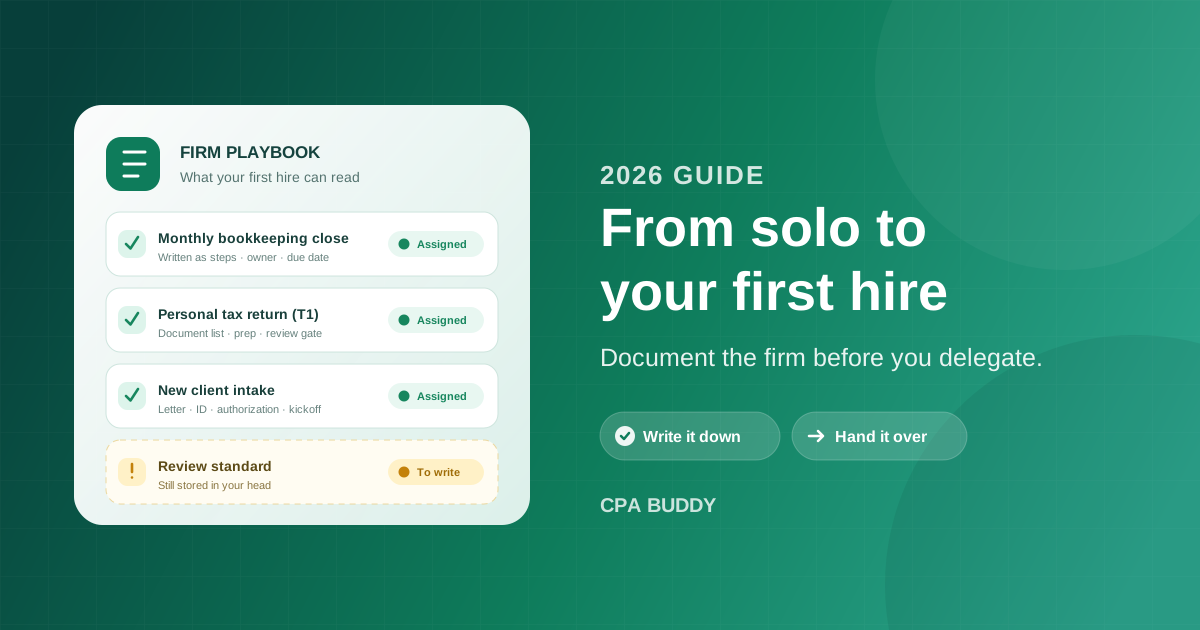
You finally hired someone. Six weeks later you’re working more hours than you did on your own. They’re waiting on you to explain how the year-end package for your biggest corporate client gets put together, you’re checking their work line by line because you don’t trust the process they followed — there wasn’t one — and you’ve quietly taken the two hardest files back.
That’s not a bad hire. That’s what happens when a firm that runs on one person’s memory suddenly has two people in it. This guide covers what to write down before your first hire starts, in what order, and how to hand real work over without becoming the bottleneck you hired to escape.
- A first hire doesn't add capacity on day one. It converts your time from doing the work to explaining it — and how long that lasts depends on how much of the firm is readable before they start.
- Document your highest-volume recurring job first. That's the work a new person can be useful at fastest, and the work you'd otherwise explain every week.
- Work you can't see isn't delegated, it's just handed off. Owners, due dates, and status have to live somewhere other than your head.
- Write down the review standard. "I'll know it when I see it" is what turns you into a permanent bottleneck.
- Delegate in rungs — inputs first, then preparation under review, then client contact, then ownership of the relationship.
When should a solo accountant hire their first employee?
The honest answer is that most solo practitioners hire at roughly the right moment. The signals are hard to miss:
- You’re turning away work you’d have liked to take.
- You worked every evening from February through April.
- A filing date came closer than it should have, because the only place it existed was a spreadsheet and your memory.
- Routine admin — chasing slips, booking calls, assembling files — is eating the hours you should spend on billable work.
Those are real reasons to hire, and hiring is the right response to them.
The timing is rarely the problem. The handover is.
When you’re the only person in the practice, none of the process has to be explicit. Which documents you need before you can start a file. The order you work through a return. The client who always sends their slips in three batches. What “finished” means before something goes out the door.
All of that is stored as habit. Habit is a fast, cheap way to run a firm — it just can’t be read by anyone else.
Why your firm has no readable surface
So your new hire arrives at a practice with nothing to read. Everything they need is available, but only through you, one question at a time, between client calls.
You’ve become the firm’s only reference document, and you’re answering it live.
Why your first hire makes you slower before they make you faster
Four things go wrong, and they’re the same four at almost every small firm.
The process is stored as habit
You don't follow a checklist for the monthly close, you just do it. Nothing about the sequence, the inputs, or the exceptions exists in a form someone else can pick up — so every step gets transmitted verbally, once, and then re-asked next month.
You can't see what they're doing
Status lives in their notebook and your inbox. To find out whether a file is moving you have to interrupt them and ask — which costs you both the answer and their focus. During busy season, you stop asking and start finding out from the client.
You're the only reviewer, and the standard is unwritten
Every file routes back through you, and because "good" was never defined, review turns into rework. You end up redoing rather than checking, which is slower than preparing it yourself would have been.
Every client relationship lives in your inbox
The context for a file — what the client promised, what you already asked for, what you agreed last year — is in a thread only you can open. Your hire either interrupts you for it or asks the client a question you asked three weeks ago.
None of these are hiring problems, and none of them get better with a more experienced candidate. A senior preparer still can’t see a status that isn’t recorded anywhere, and still can’t guess your review standard. They just charge more while they wait for you.
What to document before your first hire starts
Most firms never document anything because “write down how the firm works” is an impossible-sized job, so it becomes a summer project that never starts.
Don’t do that. Document in the order that buys back the most of your time, and stop when your hire can run one job without you.
Your highest-volume recurring job
For most small firms that's the monthly bookkeeping close or the personal tax return. Write it as a sequence: what triggers it, what you need in hand before you can start, each step in order, and what finished looks like. Not a manual — a checklist someone can follow without calling you. One job, done properly, is worth more than an outline of five.
The intake sequence for a new client
Engagement letter, ID and prior-year returns, CRA authorization, accounting software access, opening the file, the kickoff email. This is the process you improvise most often, because every new client feels slightly different — and it's the one where improvising is most visible to the client.
The document list, per job type
What you actually need from a T1 client with rental income, versus one with T4s and RRSP contributions, versus a sole proprietor. A surprising share of the questions a new hire asks you are really one question: do we have everything, and if not, what's missing?
The review standard
Write down what you check before something goes out — the five things you always look at, the ones that have bitten you before, the tie-outs you never skip. Then hand that list to your hire so they run it before the file reaches you. Review only works as a check when the preparer already knows what's being checked.
Where everything lives
Files, credentials, the client's history, the notes from last year's conversation about their spouse's business. If the honest answer is "my laptop and my inbox," that's the thing to fix before anyone starts, because it's the one gap they'll hit on day one and every day after.
How to write it so someone else can actually follow it
Write for a competent person who has never seen your firm — because that’s exactly who you hired.
- Skip the accounting theory. They know how a reconciliation works. They don’t know how you do one.
- Keep the specifics. Names, order, thresholds, and the client exceptions that would otherwise be a surprise in March.
- Write it as steps, not prose. A paragraph gets read once. A checklist gets used every cycle.
- Say what “done” means. Most rework comes from an unstated finish line, not from carelessness.
How to delegate client work: a four-rung ladder
Handing over everything at once doesn’t work, and handing over nothing until you “have time to train properly” doesn’t either. Move up in rungs, and let each rung prove itself before the next one.
Inputs and preparation work
Document collection, data entry, reconciliations, assembling the file
Every client conversation, and every call that needs judgment
Files arrive complete and on time without you asking
Preparation under review
The full return or monthly close, prepared against your written checklist
Review of every file, and all client contact
The same correction stops showing up in your review
Client contact on live files
Document requests, status updates, routine questions
Anything touching advice, scope, or fees
Clients stop copying you on the routine replies
Ownership of a client list
A defined group of clients, start to finish
Final review, and the relationships at risk
You're reviewing outcomes instead of progress
Rung 2 is where most owners stall. Track what you correct, and retire a review item permanently once the same correction stops appearing — that’s how review shrinks instead of hardening into a habit. Rung 3 needs an explicit boundary: they handle “where are we at” and “what do you still need from me,” and anything touching advice, scope, or fees still comes to you.
Spending your first few months on rung two is normal. Spending your first year on rung one isn’t — and that’s what happens when nothing gets written down and every handover has to be re-explained from scratch.
Six mistakes that keep you the bottleneck
Each of these is recoverable, and each one costs you a season if you don’t catch it.
Documenting everything at once
The complete firm handbook never gets written. One checklist for the job you run fifty times a year takes an afternoon and pays for itself the same month.
Training by shadowing alone
Watching you work transmits the sequence but not the reasoning, and leaves nothing to consult later. Shadow once, then have them write the checklist and you correct it.
Reviewing at the same depth forever
If month six looks like month one, you're not building trust — you're building a habit. Retire review items deliberately as they stop turning up errors.
Leaving client email in your inbox
As long as the history is only reachable through you, every rung above the first one stays blocked, no matter how capable your hire is.
Not tracking their time from day one
Forgotten billable time adds up to around 3 hours a week, and a new hire hasn't built the habit yet. Start it in week one, while it's still a small ask.
Hiring for the work you hate
The work you hate is usually judgment-heavy and client-facing, which is the hardest to hand over. Repeatable work is what a new person can genuinely take off you.
Where your firm’s documentation should actually live
A checklist in a Word file gets read once, during onboarding week, and never opened again. To survive contact with busy season, process documentation has to sit inside the job itself — attached to the client, with an owner and a due date on it, in a place you both look at every day.
That’s the real argument for practice management software at exactly this moment, and the workflows worth automating first are usually the same jobs you’re about to hand over. Here’s how that maps to CPA Buddy, honestly and with its limits.
Your written process becomes a workflow
The workflow designer is a drag-and-drop canvas with eight step types: start, task, email, wait, create engagement, condition, if/else, and document request. Build the template for your monthly close once, assign it to clients in bulk, and watch each one progress.
Pick the job you run most often — the monthly close is usually the easiest first win. You can do it on a 30-day free trial with no credit card, and have it assigned to real clients before your hire starts, so their first week is following a process instead of interviewing you about one.
Your review standard becomes a step on the board
Task management is a Kanban board with task dependencies and a built-in review status before Done, plus comments with @mentions and time logged against the task. Your hire moves work into review, you see it arrive, and the correction lands as a comment instead of a hallway conversation neither of you writes down.
Your inbox stops being the archive
The firm gets its own address and a shared inbox, and inbound mail is matched to the client record automatically — so the history builds itself somewhere your hire can read it. On the client record, engagements, workflows, documents, emails, contacts, invoices, and activity each get their own tab.
Your hire sees only what their role allows
Team management gives you five roles — owner, admin, manager, staff, and contractor — with role-based permissions, so a part-time contractor doesn’t get a manager’s access. It’s also a plan decision: Solo is a single seat, so a first hire means moving to Team, which includes three.
You build the template, not us. It takes an hour or two of thinking, and there’s no library of ready-made tax templates waiting for you. Nothing chases a date, either — every due date lives on the engagement or task and the dashboard shows what’s overdue at a glance, but nothing is sent to anyone before a deadline, so a person still has to look. And it isn’t tax preparation software; it runs the practice around whatever tax engine you already use.
A first hire doesn’t fail because you picked the wrong person or moved too soon. It stalls because a firm that runs on one person’s memory has nothing for a second person to read, and the whole cost of that shows up as your time.
Write down one recurring job, one intake sequence, and one review standard, put them somewhere the work actually happens, and hand over in rungs. Ready to get your process out of your head? Start a 30-day free trial — no credit card, and you can set it up yourself this week — or book a 30-minute demo and we’ll build your first workflow with you, on us.
Frequently Asked Questions
When should a solo accountant hire their first employee?
The usual signals are turning away work you'd like to take, working evenings and weekends right through T1 season, and a filing date you nearly missed because it only lived in your head. Those are real reasons to hire. The mistake isn't hiring at that point — it's hiring at that point without writing down how the work gets done, because the first thing a new person needs is a process they can read.
What should I document before my first hire starts?
Three things, in this order: your highest-volume recurring job written out as a sequence of steps, the intake sequence for a new client, and your review standard. If you only get one done, make it the recurring job — the monthly close or the personal tax return — because that's the work a new person can pick up fastest and the work you'll otherwise explain over and over.
Should my first hire be a bookkeeper, a preparer, or an admin?
Hire for the work that's repeatable, not the work you dislike most. Repeatable work can be written down, checked against a standard, and reviewed quickly. Judgment work can't be handed over on day one no matter who you hire. For most small firms that makes the first hire someone who can take on recurring bookkeeping and preparation, with client-facing work moving over later.
How long until a first hire is actually profitable?
Expect to be slower before you're faster. Every hour they spend asking and every hour you spend reviewing is an hour neither of you is billing, and that period lasts as long as the process stays in your head. The variable you control is how much of the firm is readable before they start — that's what shortens it, more than the hire's experience level does.
Do I need practice management software before I hire someone?
You need the process, the status of every job, and the client history to live somewhere other than your laptop and your inbox — software is one way to get there. What doesn't work is a documentation folder nobody opens. If the checklist lives inside the job itself, with an owner and a due date on it, it gets followed; if it lives in a Word file, it gets read once during onboarding week.
Related Articles
Ready to streamline your practice?
Join accounting firms across North America using CPA Buddy to transform their practice management.